We all have lots of little pockets of spare time throughout the day.
Two minutes before a meeting starts.
Five minutes waiting for the bus.
Ten minutes while waiting to pick someone up.
Twenty-five minutes before you need to leave the house.
These gaps are usually too short to start anything that requires real concentration.
So what do we end up doing?
Scrolling.
Waiting.
Scrolling a bit more.
And somehow, all those little pockets of time just disappear.
So today, I’m here to save the world. 😎
Well… at least a few minutes of it.
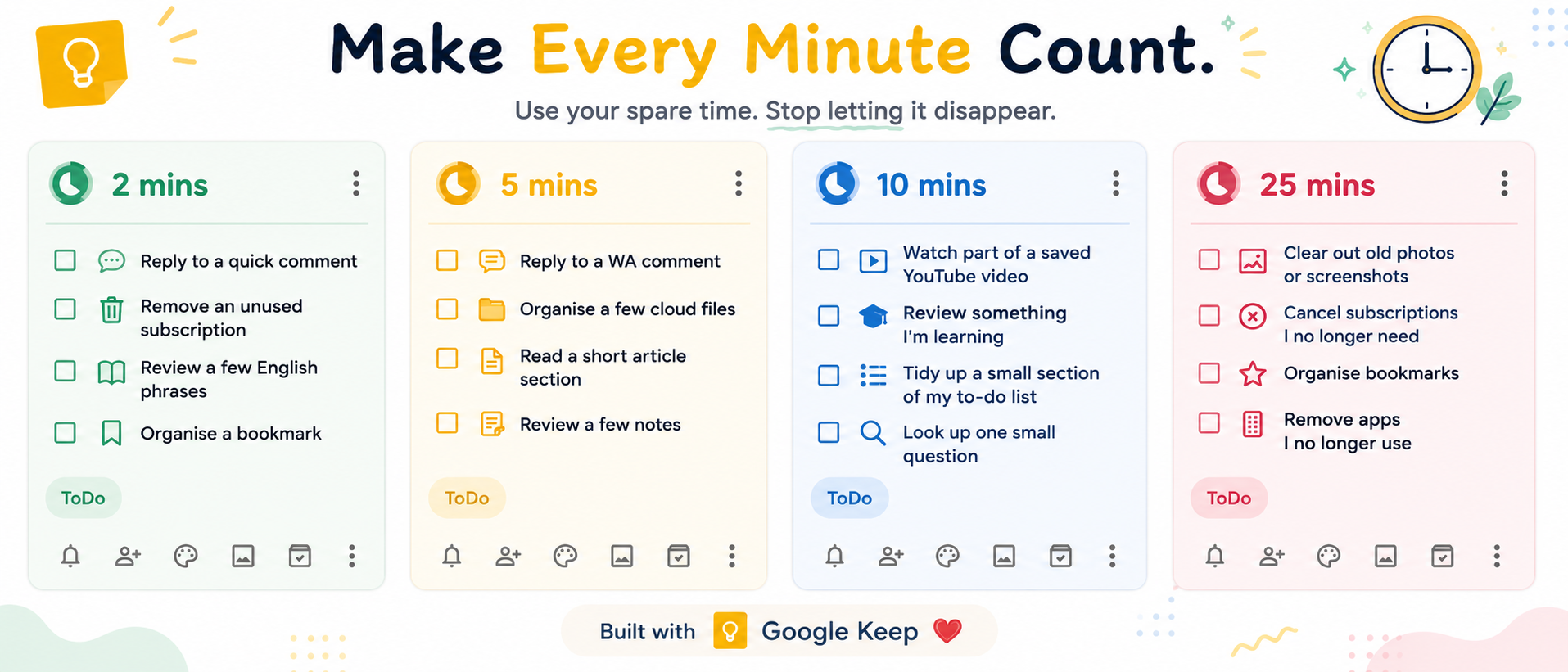
My 2, 5, 10 and 25-Minute Lists
I keep four simple lists for small tasks:
2 mins
5 mins
10 mins
25 mins
Each list contains things that are suitable for that amount of spare time.
But there is one important rule:
They have to be tasks that are completely fine to interrupt.
In other words, they should be easy to start and easy to stop.
If the time is up, I can simply stop.
I don’t need to get back into a deep train of thought later, and I won’t be annoyed because I was interrupted halfway through something that needed focus.
For example:
2 mins
- Reply to a quick comment
- Remove an unused subscription
- Review a few English phrases
- Organise a bookmark
5 mins
- Reply to a WA comment
- Organise a few cloud files
- Read a short section of an article
- Review a few notes
10 mins
- Watch part of a saved YouTube video
- Review something I’m currently learning
- Tidy up a small section of my to-do list
- Look up one small question
25 mins
- Clear out old photos or screenshots on my phone
- Cancel subscriptions I no longer need
- Organise bookmarks
- Remove apps I no longer use
What you put on your own lists is completely up to you.
The exact tasks are not the important part.
The important part is this:
Decide what you can do with spare time before that spare time appears.
It’s the same reason I started using better containers for my work in the first place — fewer decisions, less friction, and a much easier way to get started.
When Spare Time Appears, Just Pick Something
The system is ridiculously simple.
Whenever I suddenly have a bit of spare time, I estimate roughly how long I have.
Maybe a meeting starts in five minutes.
I open my 5 mins list and pick something.
Maybe I’m waiting for someone and have about ten minutes.
I open my 10 mins list.
If I suddenly have twenty-five minutes, I don’t need to stand there wondering:
“What can I actually do with this amount of time?”
I just check my 25 mins list.
No need to make a decision from scratch.
No picking up my phone, tapping around aimlessly, and somehow losing ten minutes anyway.
The options are already there.
I just choose one.
I Use Google Keep
Personally, I like using Google Keep for this.
It has checkboxes, so I can tick things off when they’re done.
Tasks are also easy to move up and down, and I can quickly add, remove or reorganise things whenever I need to.
There’s a mobile app too, so the lists are always with me.
No need to carry around another little notebook just to feel organised.
When I think of another small task, I add it to the right time list.
When I finish something, I tick it off.
That’s it.
So the next time you suddenly have 2, 5, 10 or 25 spare minutes, you don’t have to let them disappear.
You might not need more time.
You might just need a plan for the time that normally disappears.